Product case study · Chrome extension ecosystem

Give your web
a place to belong.

Nexus turns the new tab into a focused workspace for the sites you use, the ideas you save, and the discoveries worth returning to.

Explore the product
Four clear destinations
Fresh design signals
Local by default
New Tab · Nexus
Nexus dark new-tab workspace showing greeting, favorites, category navigation, and website grid

PROJECT SNAPSHOT · Independent browser product · Working implementation

Make a saved website easier to find again.

A short capture loop, four editable destinations and an explicit local/private versus shared/public boundary.

My contribution
Product strategy, information architecture, interface design and product implementation.
Evidence and status
Working product captures and a bounded local interaction study. The category model and repeat use still need user evidence.
Read this case for
Organize around a return task. Capture with one necessary choice. Keep discovery secondary.
Audience, delivery context and scope
Primary task and audience
Initial design hypothesis: a designer or builder saving references during desk work and retrieving them for a later task.
User problem
A useful link can be captured quickly and still disappear into a flat or ambiguous bookmark archive.
Constraint shaping the decision
This anonymous browser study has page-local state. Cross-device accounts and provider-dependent feeds are separate product features.
Current artifact
Product captures plus an account-free browser demo: save, find, open, move and recover. The demo requires no configured provider; refresh resets its page-local workspace.
Delivery record
Portfolio iteration: 20 October 2026. Real category/retrieval research, original delivery dates, actual activation and repeat-use cohorts have not been supplied.
MVP boundary
Cross-device synchronization and required discovery feeds; the MVP is save, find, move and recover.

The behavior

The web remembers everything.
Finding it again is the hard part.

Bookmarks become archives. Tabs become anxiety. Useful tools disappear inside browser chrome. The product opportunity was not another link manager. It was a calmer way to return to the web.

Recall costs attention

People remember what a site does before they remember where they saved it.

Tools and inspiration compete

Work links, build tools, creative references, and learning resources share one flat list.

Discovery rarely becomes action

Interesting content arrives in feeds, then vanishes before it reaches a useful workflow.

The product thesis

Every useful site needs
a destination.

Nexus replaces one endless list with four mental models that already match the way people move through a day.

One system. Four destinations. Less recall.
The product cockpit

A new tab with
an actual point of view.

The workspace is not a dashboard of everything. It is a deliberate sequence: reach favorites quickly, enter a context, scan what changed, then continue the work.

Start with intent

Your essential web, already in place.

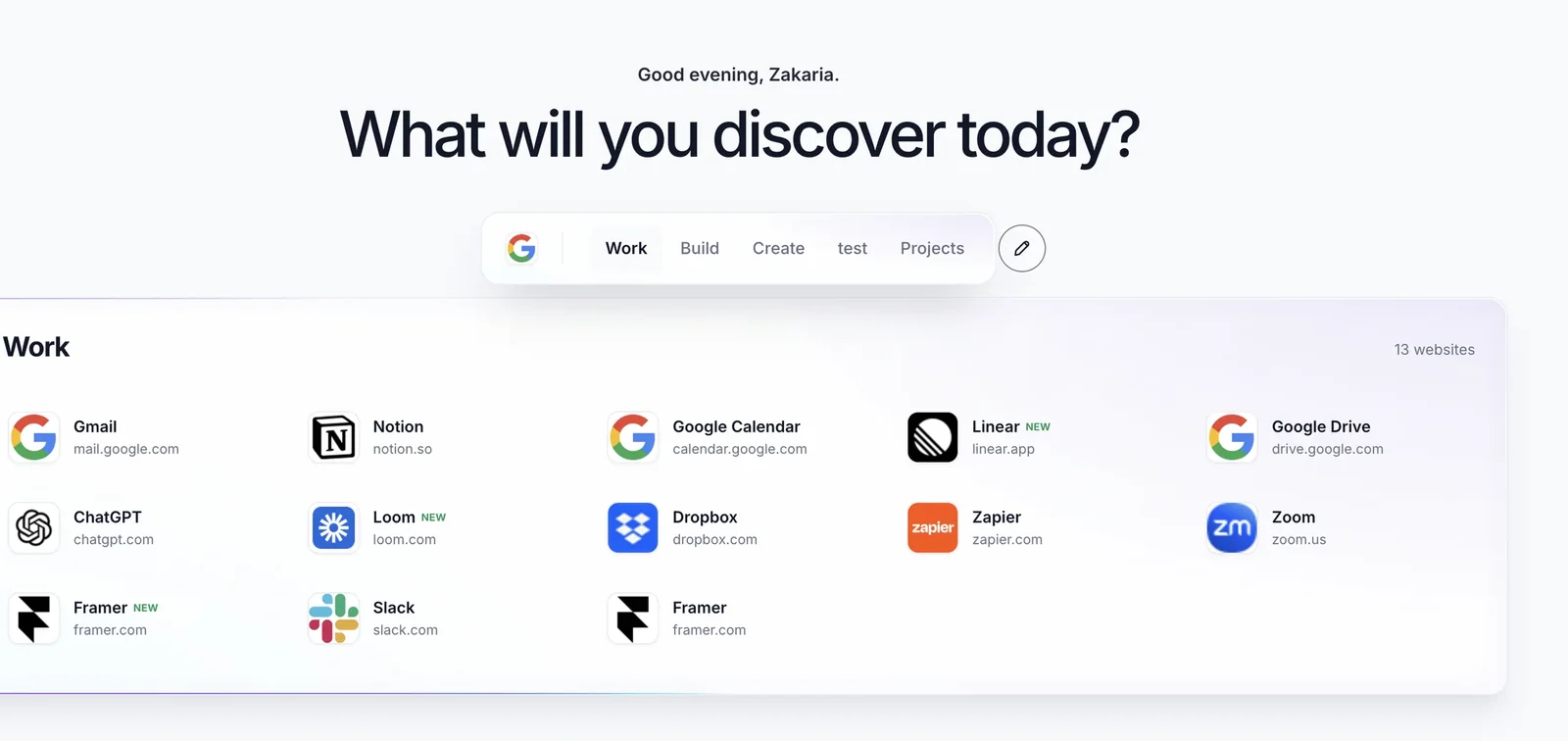
Favorites stay one click away. Category tabs shift the workspace from Work to Build, Create, or Learn without changing the interaction model.

LOCAL WORKSPACE
Nexus Work workspace with favorite websites, category tabs, and a grid of work tools
The interface uses count, category, and edit controls as quiet orientation signals.
The capture loop

Save the tab
before the thought leaves.

Quick add reads the active tab, asks for one destination, and writes it into the same local workspace. The workflow is intentionally small because organization only works when capture is cheaper than postponing it.

01Recognize the active site
02Choose its destination
03Confirm it inside Nexus
Nexus · Quick addfigma.com
FFigma Design Systemfigma.com/community
Choose a destination

Choose a category to continue.

The daily edition

Utility gets you installed.
Freshness brings you back.

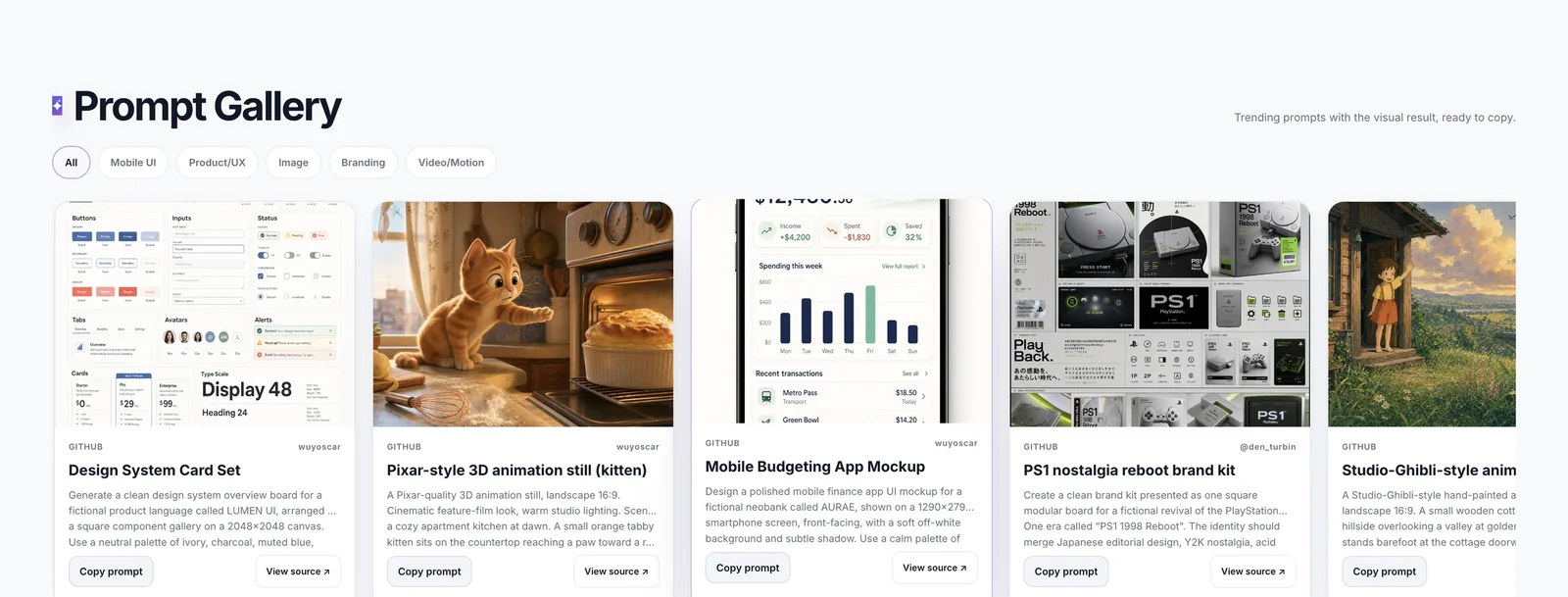
Nexus adds an editorial rhythm around the static workspace. The product can surface learning, inspiration, AI signals, and ready-to-use prompts without turning the new tab into another noisy feed.

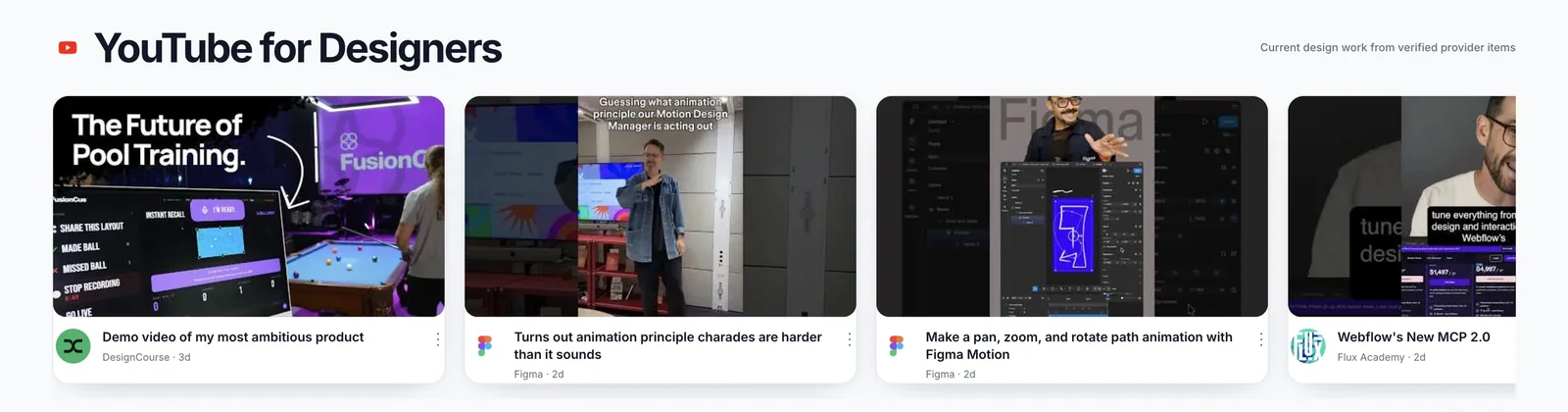
YouTube for DesignersLEARN · WATCH
Curated YouTube for Designers rail inside Nexus
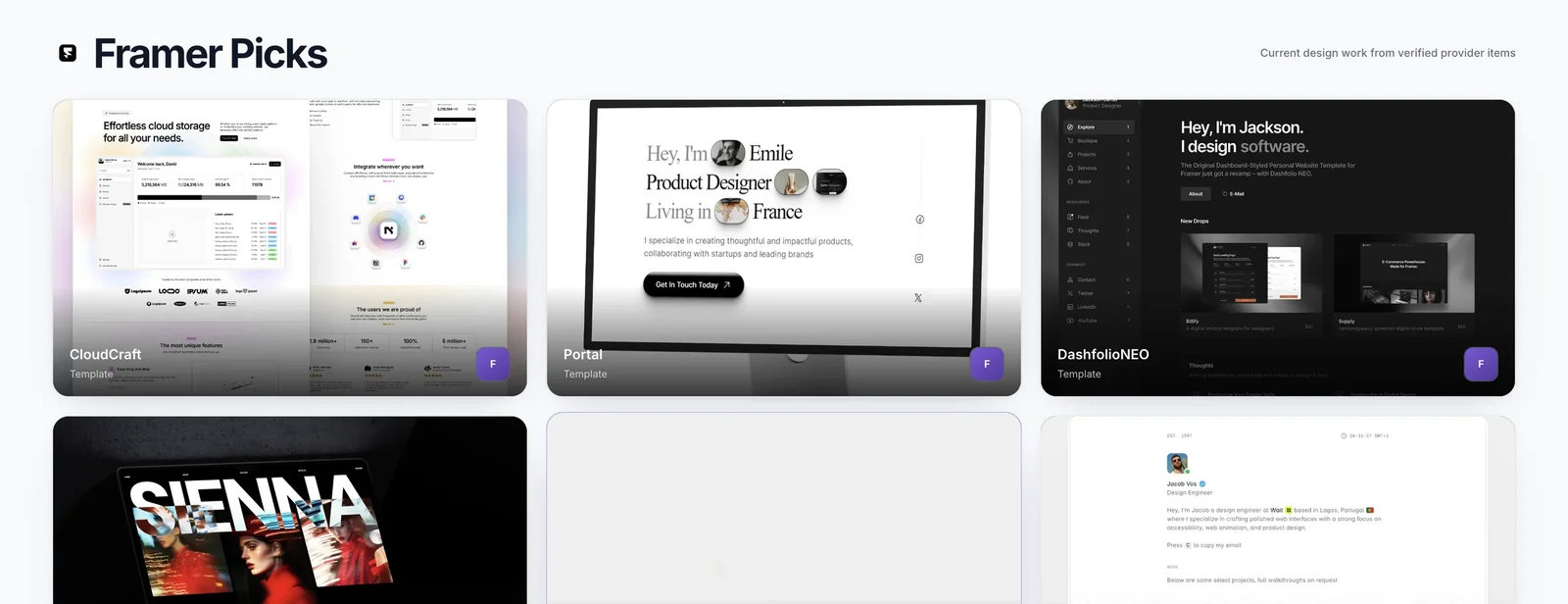
Framer PicksCREATE · STUDY
Curated Framer inspiration cards inside Nexus
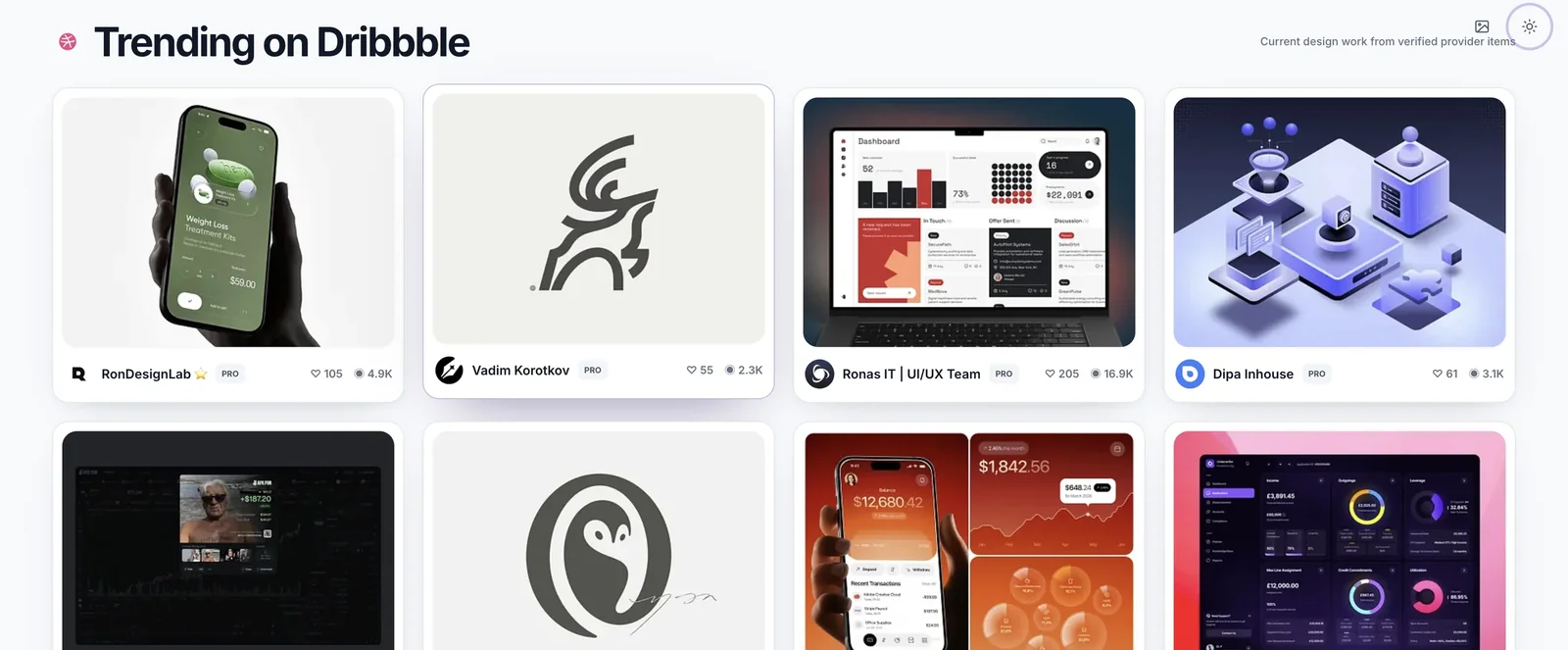
Dribbble CollectionCREATE · SCAN
Curated Dribbble design cards inside Nexus

Each surface is a real product capture. The case study preserves the interface instead of replacing it with promotional mockups.

The operating system

One interface.
Two kinds of memory.

Personal organization stays on the device. Shared discovery content is fetched from a small public backend. That boundary keeps the core product useful without an account while still allowing the editorial layer to evolve.

Chrome extension

New tab workspace, category navigation, discovery surfaces, and quick actions.

Local workspace

Sites, categories, favorites, and presentation preferences remain in browser storage.

Cloudflare Worker

Public reports and source-driven content can be cached and delivered as structured data.

Acquisition site

The product story explains the category model before someone installs the extension.

Editorial desk

Overrides and source controls support the discovery edition without entering the personal workspace.

Local-first by default

The essential organizer does not require an account or a remote profile.

No browsing-history model

Nexus organizes what the user explicitly saves. It does not inspect browsing history to infer a workspace.

Extension-safe delivery

The Manifest V3 client uses packaged code and structured data rather than remote JavaScript.

Product and market

The launch story is part
of the product system.

The marketing experience teaches the same mental model as the extension. That continuity lowers the cost of understanding before installation and makes the value visible before any setup.

Acquisition logic

Show the outcome before asking for trust.

The landing narrative moves from scattered tools to an organized workspace, then proves the daily content layer with real interface moments.

01 · Fragmented webRecognition
02 · Four destinationsUnderstanding
03 · Real product evidenceConfidence
04 · Anonymous useLower friction
Trust decisions

Earn permission by asking for less.

Privacy is not a footer claim here. It changes the architecture, onboarding, and the marketing promise.

No account requiredThe useful first experience works anonymously.
Explicit saves onlyOrganization follows user intent, not inferred history.
Clear data boundaryPrivate workspace state and shared editorial content serve different jobs.
Execution evidence

Designed across the whole loop.

125Automated checks across the extension, landing experience, and Cloudflare Worker baseline.
3Deployable surfaces: browser product, acquisition site, and content backend.
4Core mental models: Work, Build, Create, and Learn.
Product scope

This case study covers the working browser product, acquisition site, and content backend. Google sign-in and payments activate with provider configuration; release alignment keeps the packaged download and source version consistent.

A COMPLETE TASK

Follow the decision, including recovery.

  1. Start without permissions

    Inspect sample content or start empty. Optional permission refusal leaves manual capture available.

  2. Capture a reference

    Add a valid URL and destination. An absent title falls back to the host; equivalent URLs do not create duplicates.

  3. Find, open and reorganize

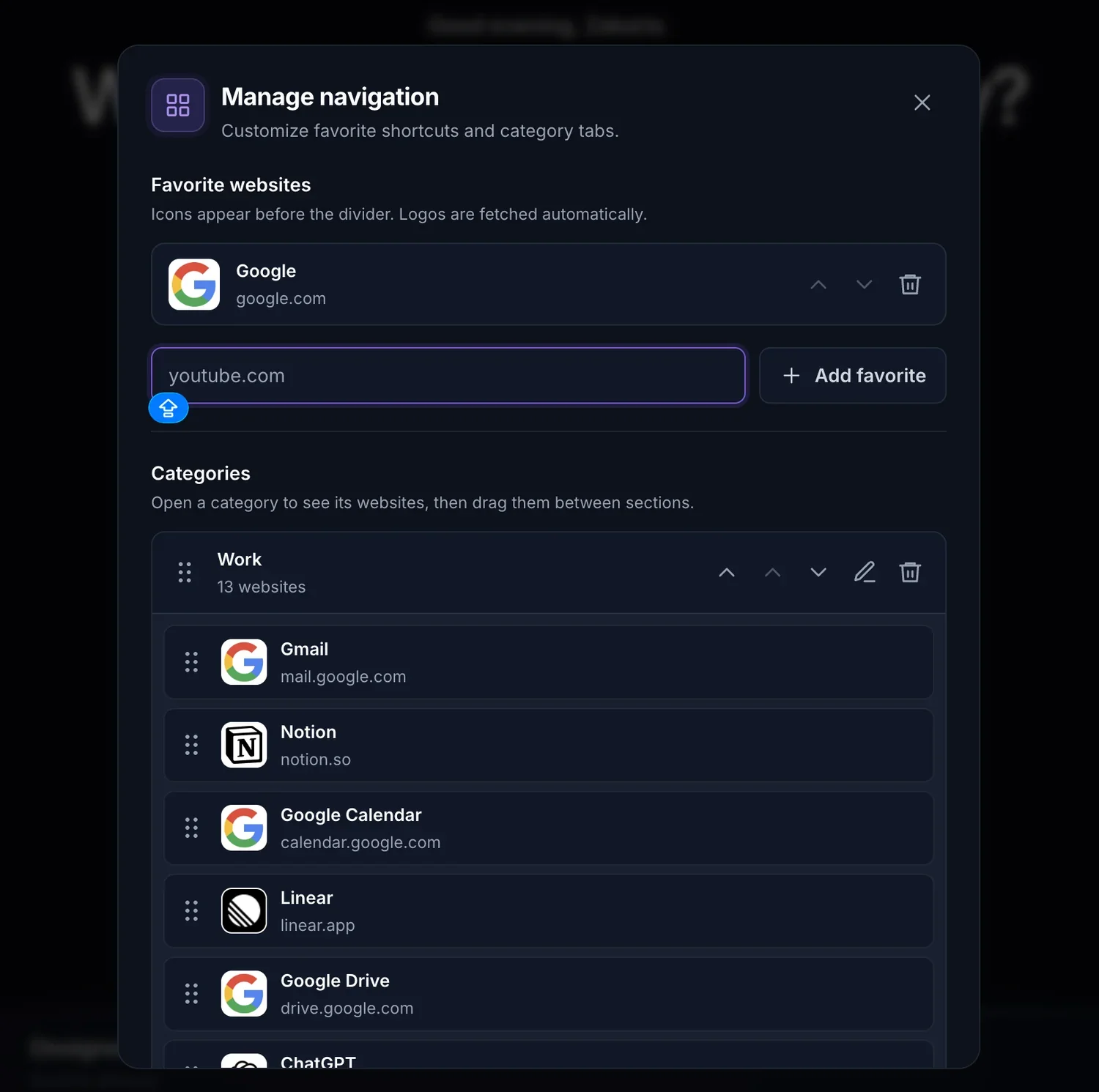
    Search across destinations, open a saved title in a new tab, move a reference or delete a category by moving its links to another destination.

  4. Recover the workspace

    Keep an unfinished capture through search and destination changes. Reveal an existing duplicate, undo removal, then export a JSON copy and review its validated contents before replacement.

Inspect the current interaction

Alternative considered and selection criteria
Alternative
A flat saved-link list
Chosen direction
Four editable destinations with search and move controls
Reason and cost
Contexts make retrieval intent visible; overlapping categories require an escape through search, moving and recovery.

DECISIONS AND TRADEOFFS

Why this behavior earns its place.

Organize around a return task

A flat archive minimizes initial decisions but can make later retrieval expensive. The four destinations make a hypothesis about everyday contexts visible.

Tradeoff. Work, Build, Create and Learn can overlap. They need testing, and users need a clear way to move an item.

Capture with one necessary choice

Quick add starts with a recognized site and one destination, then confirms where it went.

Tradeoff. Duplicate links, missing titles and category changes need explicit recovery rather than silent overwrites.

Keep discovery secondary

The workspace is the primary utility. Editorial rails can provide a return reason only if they do not compete with finding a saved site.

Tradeoff. Comparative task evidence is still needed to justify feed density and default placement.

WHAT THE WORK ESTABLISHES

Delivery, observation and next evidence.

EvidenceWhat you can inspectWhat remains unestablished
Product outputThe case includes actual captures and describes a client, acquisition site and public-content backend.Configuration-dependent sign-in/payment features are distinct from the anonymous organizer.
Quality recordThe case reports recorded implementation checks.Those checks do not prove that people retrieve sites faster or return to the product.
Next evidenceSort ambiguous links, retrieve saved items and compare with participants’ current bookmarks.Category disagreements, first-run activation, repeat retrieval and discovery distraction remain unmeasured.
Product output

What you can inspectThe case includes actual captures and describes a client, acquisition site and public-content backend.

What remains unestablishedConfiguration-dependent sign-in/payment features are distinct from the anonymous organizer.

Quality record

What you can inspectThe case reports recorded implementation checks.

What remains unestablishedThose checks do not prove that people retrieve sites faster or return to the product.

Next evidence

What you can inspectSort ambiguous links, retrieve saved items and compare with participants’ current bookmarks.

What remains unestablishedCategory disagreements, first-run activation, repeat retrieval and discovery distraction remain unmeasured.

The interaction examples make design decisions inspectable. Participant findings, endorsements and business outcomes are included only when an actual record is available.

Open the task-based evaluation protocol

Builder reflection

Evaluate the return task before expanding discovery.

Keep. Keep capture short, name the destination and provide a visible way to move or recover a saved site. The local organizer now handles equivalent URLs and stale removal undo explicitly.

Change next. Test ambiguous links against Work, Build, Create and Learn before extending the taxonomy. Keep discovery optional while the value of the saved-site workflow is being established.

Question to test. Do these destinations help people retrieve their own references compared with current bookmarks? Placement disagreements, retrieval effort and repeat use remain the useful evidence.

Product strategyUX systemsChrome extensionContent operationsDigital marketing
to move · Enter to openEsc to close
Back to Portfolio